Sponsored
Safe Crypto Airdrop Check: Complete Guide Before You Claim
Every year, thousands of wallets get drained by claim pages that look completely legitimate right up until a signature request appears. A safe crypto airdrop check is not something you run after you feel uneasy about a link. It is a process you complete before you ever connect a wallet to an unfamiliar page. Last Updated: July 2026.
This guide walks through nine practical verification steps, the warning signs that should stop a claim immediately, and the habits that separate careful airdrop hunters from people who lose funds to a convincing fake. If you farm airdrops regularly, treat this as a checklist rather than a one time read.
What Is a Safe Crypto Airdrop Check
A safe crypto airdrop check is a structured way of confirming that a token distribution, the site hosting it, and the wallet request behind it are all genuine before you interact. It goes beyond searching a project name on social media or seeing a token listed on a tracking site. Verification needs to cover the announcement source, the domain, the smart contract, and the exact permission being requested.
This matters more in 2026 than it did a few years ago. Airdrop farming has become mainstream enough that phishing operations now mimic entire claim interfaces, complete with countdown timers and fake eligibility checkers. Tools like airdrops.io can help you find genuine campaigns, but they cannot verify the specific link you clicked. That verification step is still yours to perform.
Beginners often assume that connecting a wallet is the risky part. In reality, a basic connection mostly shares your public address. The real exposure comes later, when a site asks for a signature, an approval, or a transaction that grants access beyond what a simple claim requires.
If you are formalizing a broader claim workflow across multiple chains, our RockSolid Airdrop guide expands on wallet setup and campaign tracking for regular farmers.
How Airdrop Scams Actually Work
Domain and Source Verification
Scam pages rarely fail on design. They fail on the domain. A convincing clone can copy a project's logo, layout, and even its dashboard screens, but it cannot use the exact registered domain of the real project. Before connecting, compare the URL character by character against the official site linked from the project's verified documentation, not against a link someone sent you in a message.
Bookmark the official domains of projects you interact with regularly. When a new claim opens, navigate from that saved bookmark instead of searching for it or clicking a shared link. This single habit removes a large share of phishing risk on its own, since most fake claim pages rely on you discovering them through search ads or social posts rather than your own verified source.
Wallet Permissions vs Wallet Connection
Connecting a wallet and approving a transaction are two different actions with very different consequences. A connection generally shares your public address and lets a site read information already visible on chain. An approval, by contrast, can grant a contract ongoing permission to move specific tokens out of your wallet.
Treat every approval prompt as a separate decision point, even on a site you already trust. Check which token is involved, whether the spending cap is limited or unlimited, and whether that permission actually matches the claim you are trying to complete. If a free NFT claim suddenly asks for stablecoin spending access, that mismatch is the signal to stop.
Contract and Token Verification
Legitimate projects usually publish their token contract address in official documentation or announcement threads. Cross check that address against what your wallet displays during the claim, and look up the contract on a block explorer to confirm it is verified and matches the expected token. You can also check a token's market data and supply on CoinGecko to see whether it aligns with what the project has announced.
A mismatch between the announced contract and the one your wallet is interacting with is one of the clearest signs of a fraudulent claim page. This single check catches a surprising number of fake airdrops that otherwise look identical to the real thing.
Unexpected Tokens and NFTs
Random tokens or NFTs sometimes appear in wallets without any action from the owner. These are often bait, designed with names or descriptions containing a link that leads to a phishing site. Do not visit that link, and never treat an unsolicited asset as confirmation that you are eligible for anything.
Step by Step Safe Crypto Airdrop Check
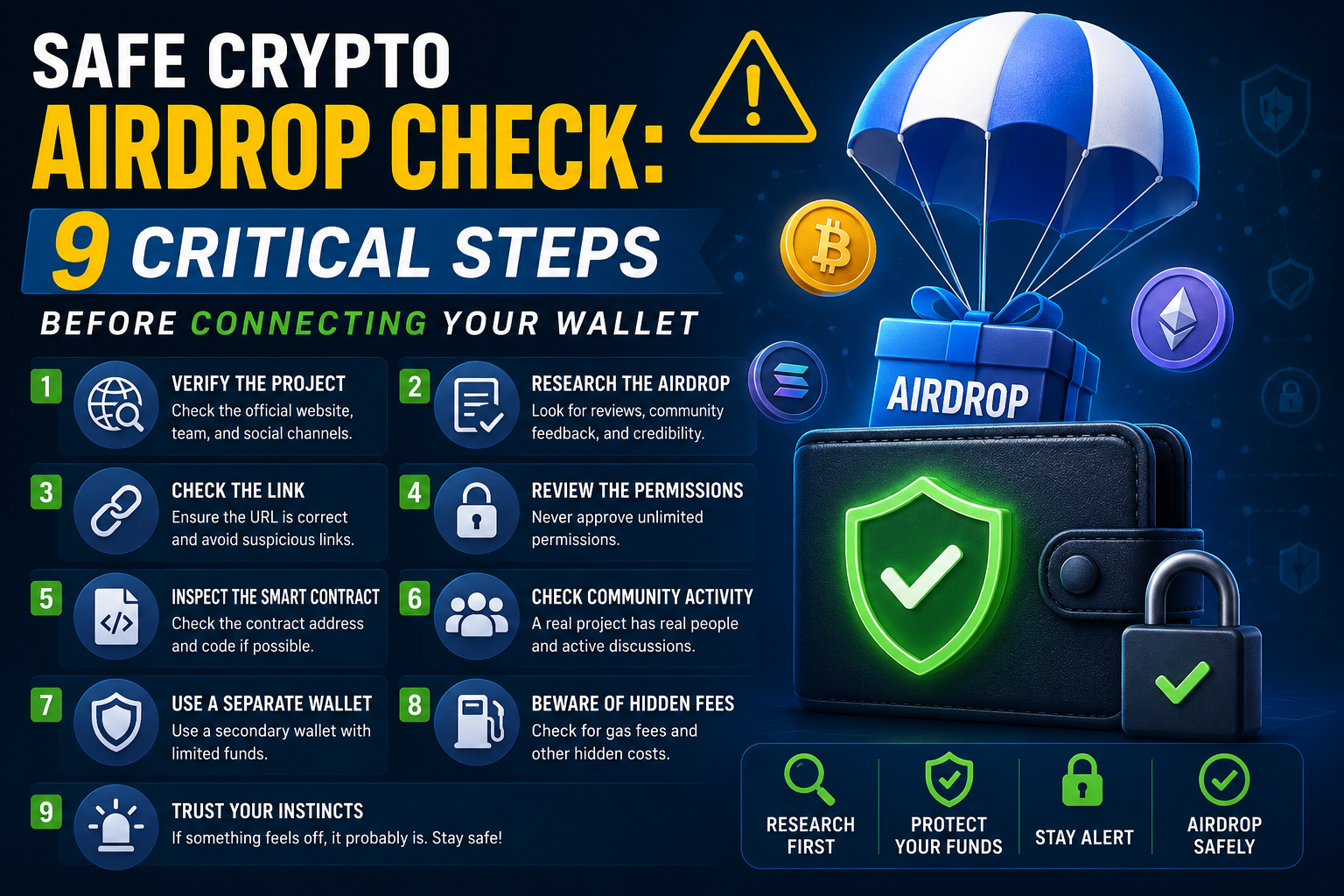
Use this sequence every time a new claim opportunity appears, regardless of how well known the project seems to be.
- Confirm the campaign independently. Visit the project's official site or documentation directly and confirm the airdrop is actually mentioned there, rather than trusting the link that introduced you to it.
- Inspect the domain carefully. Compare the claim URL against the official domain letter by letter, checking for swapped characters, extra words, or an unfamiliar subdomain.
- Check the network and wallet. Confirm you are on the correct blockchain network and using a wallet appropriate for the risk level of this claim, not your main long term holdings wallet.
- Verify the contract on an explorer. Look up the contract address shown in your wallet and compare it against the one published in official project sources.
- Read the exact permission requested. Before signing, check whether the approval or transaction matches the claim you expect, including the token involved and any spending limit.
- Execute the claim and review the result. After claiming, check your wallet activity on chain and look for any new approvals that were created during the process.
- Revoke unnecessary permissions. If the claim left behind a spending approval you no longer need, revoke it using a reputable approval management tool.
Many farmers also route claim activity through a dedicated VPN and browser profile to reduce fingerprinting and avoid geo restricted claim pages. If you are building out this part of your setup, our BEST VPN FOR CRYPTO comparison covers what to look for in a provider suited to wallet activity specifically.
Our team at SolidTrader has tracked airdrop campaigns across more than a dozen ecosystems since 2021, and the pattern behind most losses is strikingly consistent: the victim skipped contract verification because the site looked professional and the countdown timer created pressure to act fast. We have also seen legitimate projects get impersonated within hours of their real announcement, with fake claim pages outranking the official post in search results through paid ads. The lesson from that experience is simple. Treat urgency as a warning sign rather than a reason to move faster, and always confirm a contract address against official sources before signing anything.
Risks to Consider
Even a careful process does not eliminate risk entirely. A legitimate project's front end can be compromised without the team's knowledge, meaning a domain you have verified before could still serve a malicious script for a short window. Treat every signature request as worth reading, even on sites you have used safely in the past.
Public wifi and unsecured networks add another layer of exposure when claiming from a laptop or phone, since traffic can be intercepted or redirected on poorly secured connections. Pairing wallet activity with a reliable Best VPN for Crypto reduces this specific risk, though it does not replace domain and contract verification.
Finally, no approval checker or security alert catches everything. Wallet providers flag many known phishing domains, but new fake pages appear faster than blocklists can be updated. Your own verification habits remain the most reliable defense, not any single tool.
Frequently Asked Questions
Is it safe to connect my wallet to an airdrop site?
Connecting alone is usually lower risk than approving or signing, since it typically only shares your public address. The real exposure comes from what you approve or sign afterward, so treat connection as the start of scrutiny rather than the end of it.
How do I know if an airdrop is a scam?
Check whether the claim page matches the project's official domain, whether the requested permission matches the claim itself, and whether the campaign is verifiable through official channels. A mismatch in any of these areas is a strong signal that the claim is fraudulent.
What should I do if I already signed something suspicious?
Stop interacting with the site immediately and review your recent wallet activity on a block explorer. Revoke any suspicious token approvals using a trusted revocation tool, and move remaining assets to a clean wallet if you believe the exposure is significant.
Do I need a separate wallet for airdrop farming?
A dedicated wallet for claims is one of the most effective risk reduction habits available. It keeps a mistake on an unfamiliar claim page from ever touching your long term holdings.
Can a security alert guarantee an airdrop site is safe?
No. Wallet security alerts rely on known threat databases and on chain analysis, but new phishing domains appear constantly and are not always flagged in time. Treat alerts as one input among several, not a final verdict.
Final Thoughts
A safe crypto airdrop check works best as a habit, not a one time reaction to a suspicious link. Verify the campaign through official sources, confirm the domain and contract independently, and read every wallet request before you sign it. Keep your claim activity separated from long term holdings so that one mistake never becomes a total loss.
For more verification frameworks and campaign breakdowns, explore our latest crypto airdrop guides and keep your claim process consistent across every new opportunity.